> ## Documentation Index
> Fetch the complete documentation index at: https://docs.thanx.com/llms.txt
> Use this file to discover all available pages before exploring further.

# Loyalty Models

Thanx supports two types of loyalty programs:
**Card-Linked Loyalty** and **Check-In Loyalty**.

Each merchant can use **only one type**, so it's important to understand how they work before building an integration.

**Card-linked loyalty** automatically tracks in-store and digital purchases when guests pay with a linked payment card. It offers a seamless, staff-free experience, maximizes passive enrollment, and captures rich transaction data. Due to card network agreements, it is currently **available only in the United States**.

**Check-in loyalty** identifies guests at the register using a phone number, email, or QR code. It follows a more traditional loyalty flow and is supported on integrated POS platforms. It is ideal for brands that prefer in-store interaction or **plan to operate internationally**.

In short:

* **Card-linked = automation + full data capture**
* **Check-in = interactive in-store flow + geographic flexibility**

## Card-Linked Loyalty

Card-linked loyalty links a guest's payment card to their loyalty account so that future purchases are tracked automatically.

### How It Works

1. During a digital checkout, Thanx securely tokenizes the guest's payment card.
2. When the guest uses the same card in-store, the transaction is matched to their loyalty account.
3. Thanx awards points and applies rewards without any action from the guest or staff.

### Key Characteristics

* **No manual guest identification:** no phone number, QR code, or staff prompt required.
* **Automatic enrollment:** guests who complete digital purchases are enrolled in loyalty.
* **Wide POS compatibility:** works across most integrated POS systems for earn and redemption.
* **Unified customer data:** combines online and in-store activity for accurate profiles and reporting.
* **Availability:** limited to the United States due to card network rules.

## Check-In Loyalty

Check-in loyalty relies on guest identification at the POS to track purchases and award points.

### How It Works

1. At checkout, the guest enters a phone number or email, or scans a QR code.
2. The POS identifies the guest and sends the transaction details to Thanx.
3. Thanx records the purchase, awards points, and enables in-store reward redemption.

### Key Characteristics

* **Traditional in-store flow:** aligns with common loyalty experiences.
* **Supported on select POS:** requires a POS integration.
* **Guest or staff interaction:** relies on prompts or displays at checkout.
* **International support:** not restricted by card network agreements.

## Comparison Table

|                                           | Card-linked                                                                                                                                                                                              | Check-in                                                                                                                                                                                           |
| ----------------------------------------- | -------------------------------------------------------------------------------------------------------------------------------------------------------------------------------------------------------- | -------------------------------------------------------------------------------------------------------------------------------------------------------------------------------------------------- |
| **Earning points for digital purchases**  | Yes                                                                                                                                                                                                      | Yes                                                                                                                                                                                                |
| **Earning points for in-store purchases** | Using an enrolled card or uploading a receipt                                                                                                                                                            | Checking-in at the POS with staff or via a guest-facing display                                                                                                                                    |
| **Redeeming rewards online**              | Yes                                                                                                                                                                                                      | Yes                                                                                                                                                                                                |
| **Redeeming rewards in-store**            | - Manager comp <br /> - Staff sees available rewards for *identified* customers and applies them via the integration <br /> - If available via POS, guests can see their rewards on buyer facing screens | - Manager comp <br /> - Staff sees available rewards for *every* customer and applies them via the integration <br /> - If available via POS, guests can see their rewards on buyer facing screens |
| **Main benefits**                         | - Customers can earn points by just checking out as they regularly would <br /> - Less likelihood to issue rewards to “win-back” repeat customers                                                        | - Widespread. No additional training required. <br />- Unified communication: the only way to earn points is via check-in.                                                                         |
| **Means to drive capture rate up**        | Encourage digital orders                                                                                                                                                                                 | Focus on staff training to bring up check-in at *every* transaction                                                                                                                                |
| **Receipts**                              | Necessary to support cash purchases                                                                                                                                                                      | Check-in will work regardless of how you pay                                                                                                                                                       |

## Consumer Experience by Model

<div
  style={{
display: 'grid',
gridTemplateColumns: 'repeat(auto-fit, minmax(300px, 1fr))',
gap: '2rem'
}}
>
  <div>
    ### Card-Linked

    <img src="https://mintcdn.com/thanx/3XotrJkc7Op2xIaG/public/cl1.png?fit=max&auto=format&n=3XotrJkc7Op2xIaG&q=85&s=64098dccbec2d3d128e2f1bb0aa66ba5" alt="Card Linked experience" width={360} loading="lazy" data-path="public/cl1.png" />

    <p style={{ fontSize: '0.9rem', color: '#b0b0b0', marginTop: '0.5rem' }}>
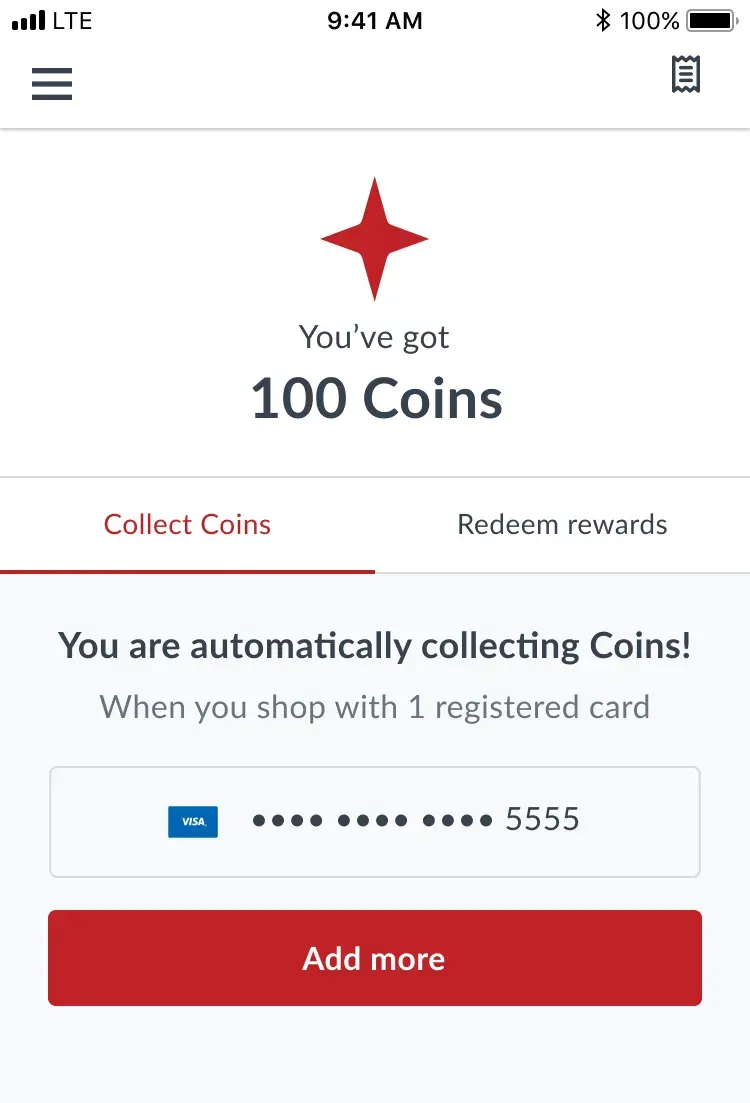
      Customer can see the cards they are earning points with and are prompted to add more.
    </p>

    <div style={{ height: '1rem' }} />

    <img src="https://mintcdn.com/thanx/3XotrJkc7Op2xIaG/public/cl2.png?fit=max&auto=format&n=3XotrJkc7Op2xIaG&q=85&s=bc063af8235ea2a077c654ebaf1773d3" alt="Card Linked zero state" width={360} loading="lazy" data-path="public/cl2.png" />

    <p style={{ fontSize: '0.9rem', color: '#b0b0b0', marginTop: '0.5rem' }}>
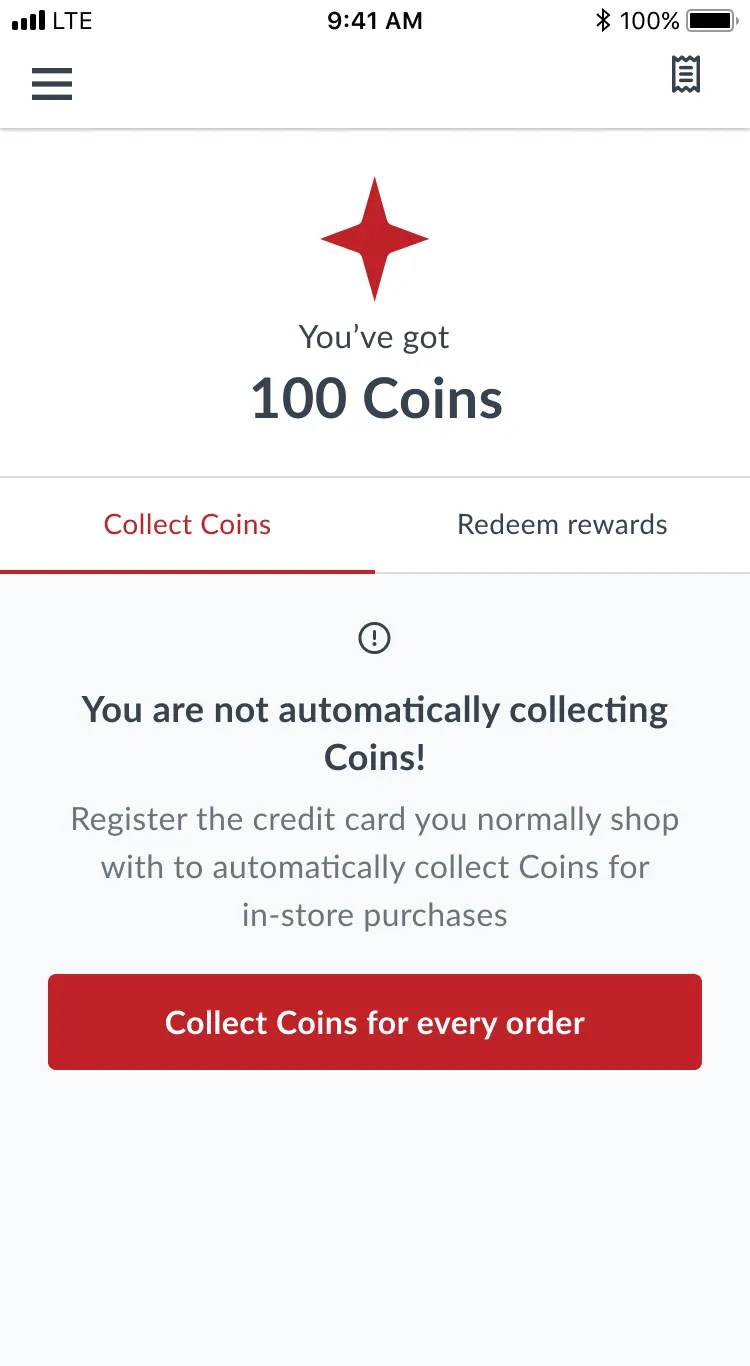
      When they have no cards at all, they see a 0 state encouraging them to add more cards.
    </p>
  </div>

  <div>
    ### Check-In

    <img src="https://mintcdn.com/thanx/ndtvp66Wxz4WT22r/public/checkin1.png?fit=max&auto=format&n=ndtvp66Wxz4WT22r&q=85&s=7766c737f7d0eeeaab2870f438f704c3" alt="Check-in with QR" width={360} loading="lazy" data-path="public/checkin1.png" />

    <p style={{ fontSize: '0.9rem', color: '#b0b0b0', marginTop: '0.5rem' }}>
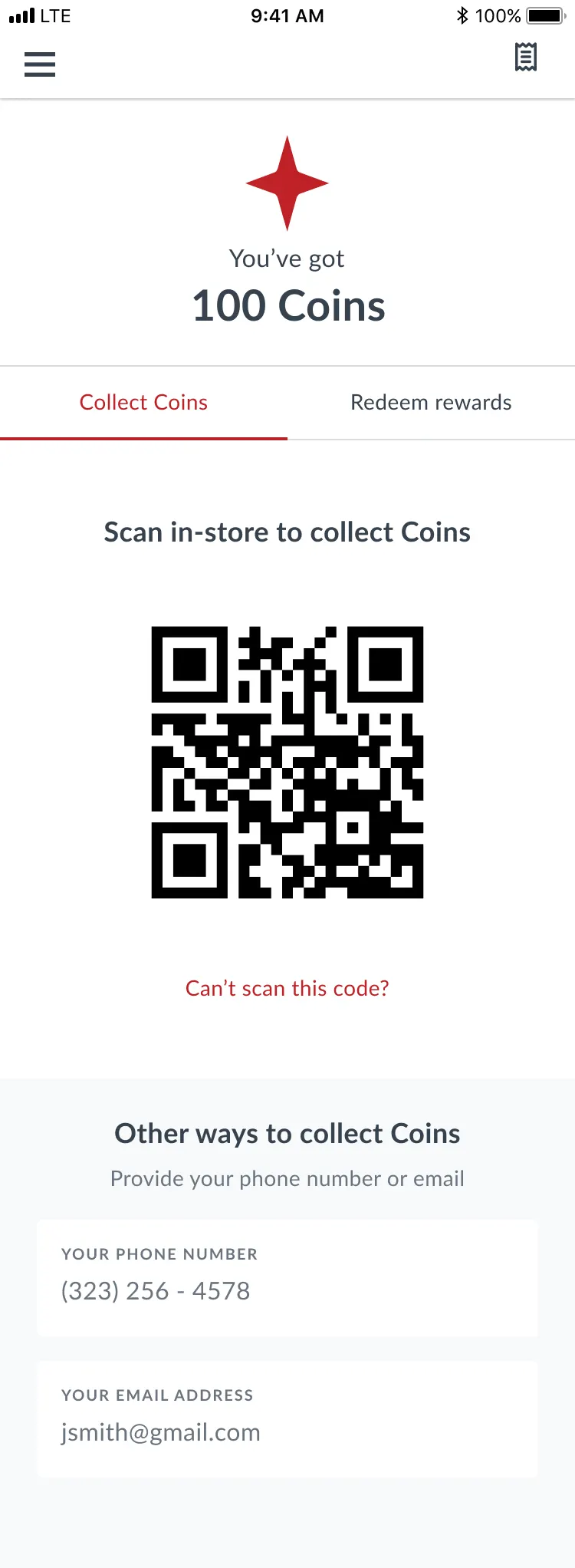
      Check-in example for a merchant who has QR code scanners.
    </p>

    <div style={{ height: '1rem' }} />

    <img src="https://mintcdn.com/thanx/ndtvp66Wxz4WT22r/public/checkin2.png?fit=max&auto=format&n=ndtvp66Wxz4WT22r&q=85&s=9f9f5c7e31783e3c3df6e170174a3538" alt="Check-in without QR" width={360} loading="lazy" data-path="public/checkin2.png" />

    <p style={{ fontSize: '0.9rem', color: '#b0b0b0', marginTop: '0.5rem' }}>
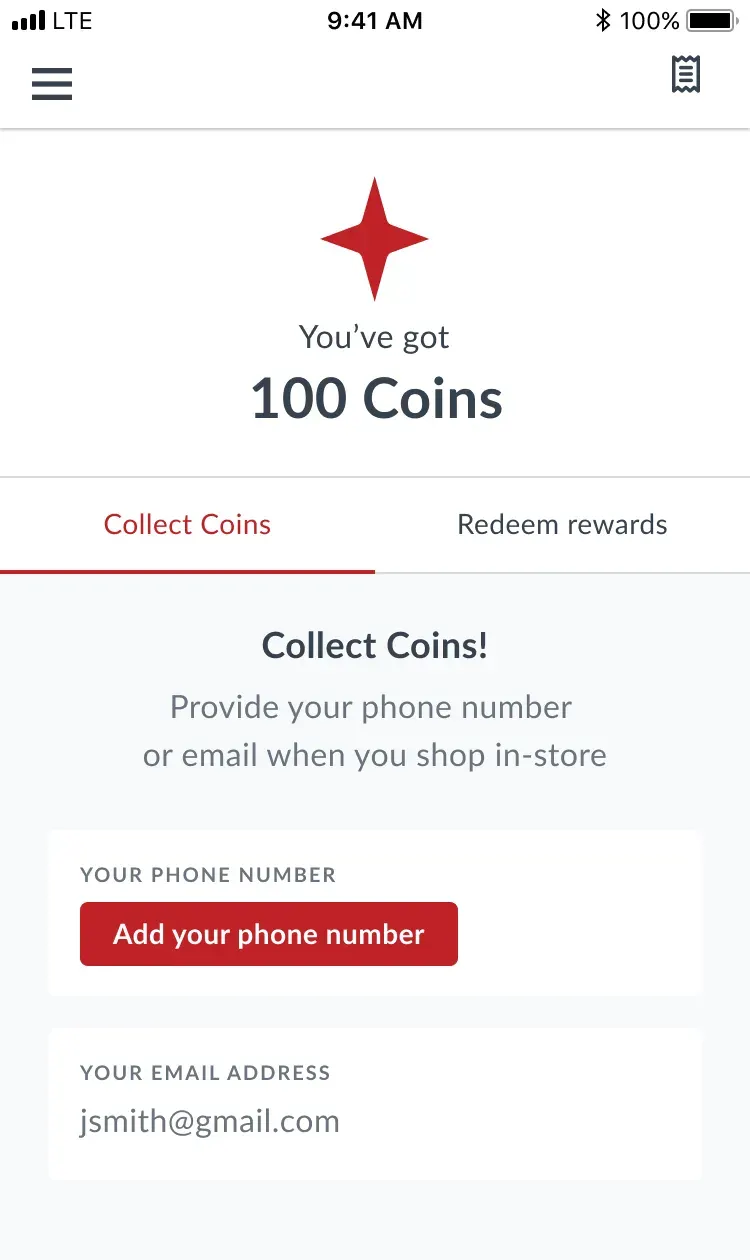
      Example without QR codes. When any information is missing, customers can provide it right on the check-in screen.
    </p>
  </div>
</div>

## Technical Integration by Model

### Card-Linked Loyalty

When building integrations for card-linked loyalty, merchant location MIDs must be onboarded within Thanx to guarantee points accrual when a purchase is made at a merchant location.

If the integration is for ordering (mobile or web), you should also integrate card management endpoints.

This allows users to:

* [Create Card](/consumer/cards/create-card)
* [Get Cards](/consumer/cards/get-cards)
* [Delete Card](/consumer/cards/delete-card)

### Check-In Loyalty

When building integrations for check-in loyalty, mobile ordering integrations should include the Get Check-In Code endpoint.
This allows users to display their QR code at in-store systems like kiosks or POS terminals to check in at merchant locations.

* [Get Check In Code](/consumer/users/check-in-code)

### Basket API

Regardless of which loyalty type is implemented, submitting a basket via our Loyalty API and our basket creation endpoint will always trigger points accrual for the user.

* [Create or Update Basket](/loyalty/create-update-basket)