Thanx supports two types of loyalty programs: Card-Linked Loyalty and Check-In Loyalty. Each merchant can use only one type, so it’s important to understand how they work before building an integration. Card-linked loyalty automatically tracks in-store and digital purchases when guests pay with a linked payment card. It offers a seamless, staff-free experience, maximizes passive enrollment, and captures rich transaction data. Due to card network agreements, it is currently available only in the United States. Check-in loyalty identifies guests at the register using a phone number, email, or QR code. It follows a more traditional loyalty flow and is supported on integrated POS platforms. It is ideal for brands that prefer in-store interaction or plan to operate internationally. In short:Documentation Index
Fetch the complete documentation index at: https://docs.thanx.com/llms.txt
Use this file to discover all available pages before exploring further.
- Card-linked = automation + full data capture
- Check-in = interactive in-store flow + geographic flexibility
Card-Linked Loyalty
Card-linked loyalty links a guest’s payment card to their loyalty account so that future purchases are tracked automatically.How It Works
- During a digital checkout, Thanx securely tokenizes the guest’s payment card.
- When the guest uses the same card in-store, the transaction is matched to their loyalty account.
- Thanx awards points and applies rewards without any action from the guest or staff.
Key Characteristics
- No manual guest identification: no phone number, QR code, or staff prompt required.
- Automatic enrollment: guests who complete digital purchases are enrolled in loyalty.
- Wide POS compatibility: works across most integrated POS systems for earn and redemption.
- Unified customer data: combines online and in-store activity for accurate profiles and reporting.
- Availability: limited to the United States due to card network rules.
Check-In Loyalty
Check-in loyalty relies on guest identification at the POS to track purchases and award points.How It Works
- At checkout, the guest enters a phone number or email, or scans a QR code.
- The POS identifies the guest and sends the transaction details to Thanx.
- Thanx records the purchase, awards points, and enables in-store reward redemption.
Key Characteristics
- Traditional in-store flow: aligns with common loyalty experiences.
- Supported on select POS: requires a POS integration.
- Guest or staff interaction: relies on prompts or displays at checkout.
- International support: not restricted by card network agreements.
Comparison Table
| Card-linked | Check-in | |
|---|---|---|
| Earning points for digital purchases | Yes | Yes |
| Earning points for in-store purchases | Using an enrolled card or uploading a receipt | Checking-in at the POS with staff or via a guest-facing display |
| Redeeming rewards online | Yes | Yes |
| Redeeming rewards in-store | - Manager comp - Staff sees available rewards for identified customers and applies them via the integration - If available via POS, guests can see their rewards on buyer facing screens | - Manager comp - Staff sees available rewards for every customer and applies them via the integration - If available via POS, guests can see their rewards on buyer facing screens |
| Main benefits | - Customers can earn points by just checking out as they regularly would - Less likelihood to issue rewards to “win-back” repeat customers | - Widespread. No additional training required. - Unified communication: the only way to earn points is via check-in. |
| Means to drive capture rate up | Encourage digital orders | Focus on staff training to bring up check-in at every transaction |
| Receipts | Necessary to support cash purchases | Check-in will work regardless of how you pay |
Consumer Experience by Model
Card-Linked
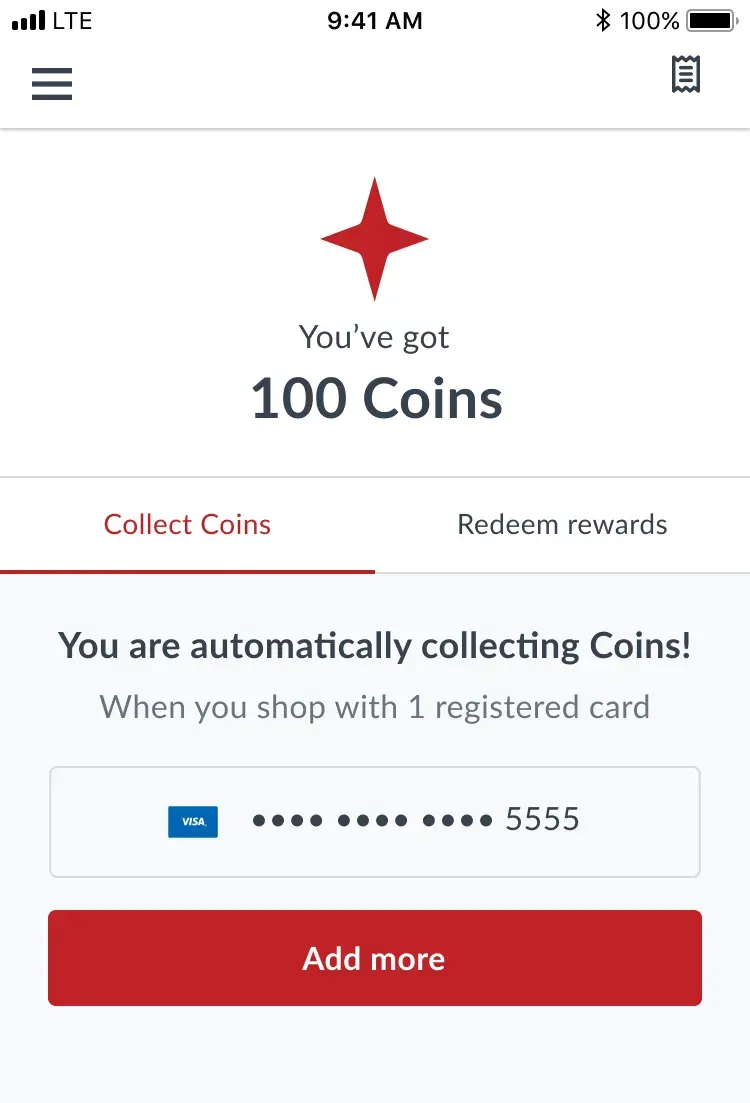
Customer can see the cards they are earning points with and are prompted to add more.
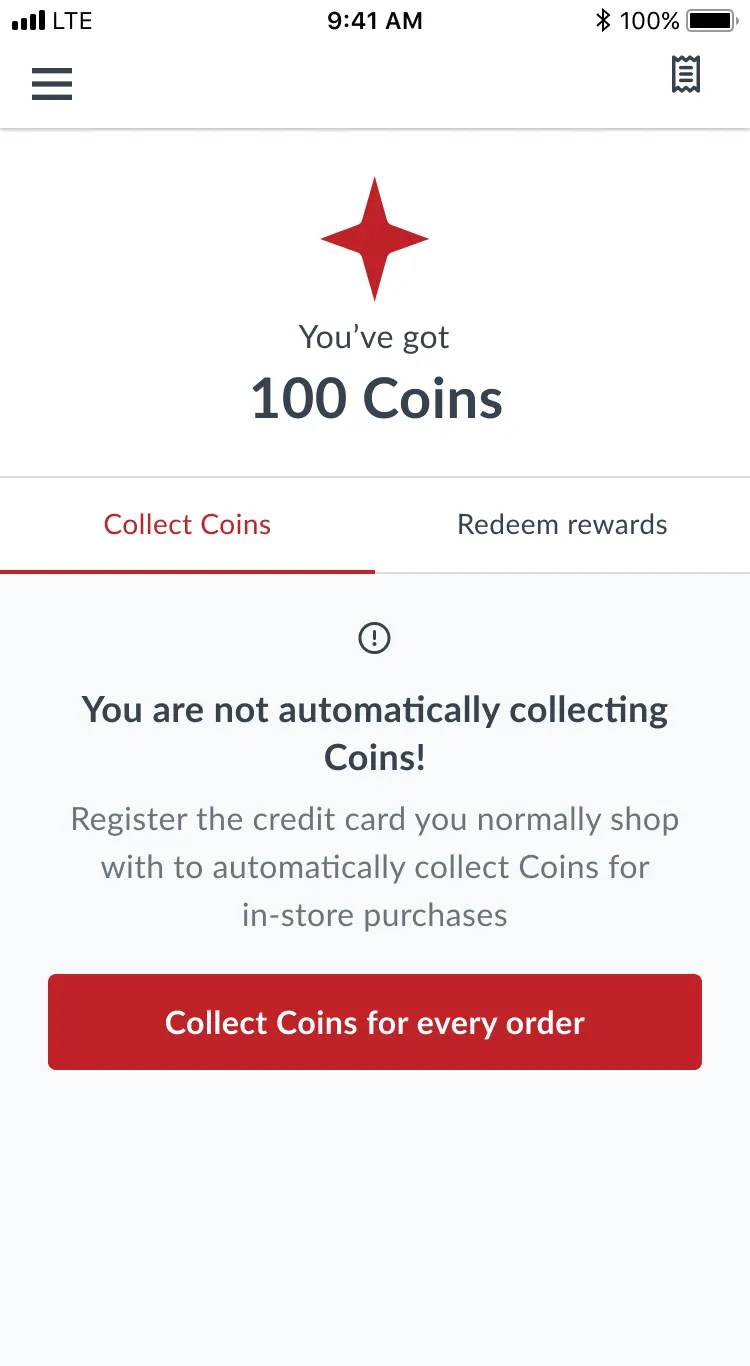
When they have no cards at all, they see a 0 state encouraging them to add more cards.
Check-In
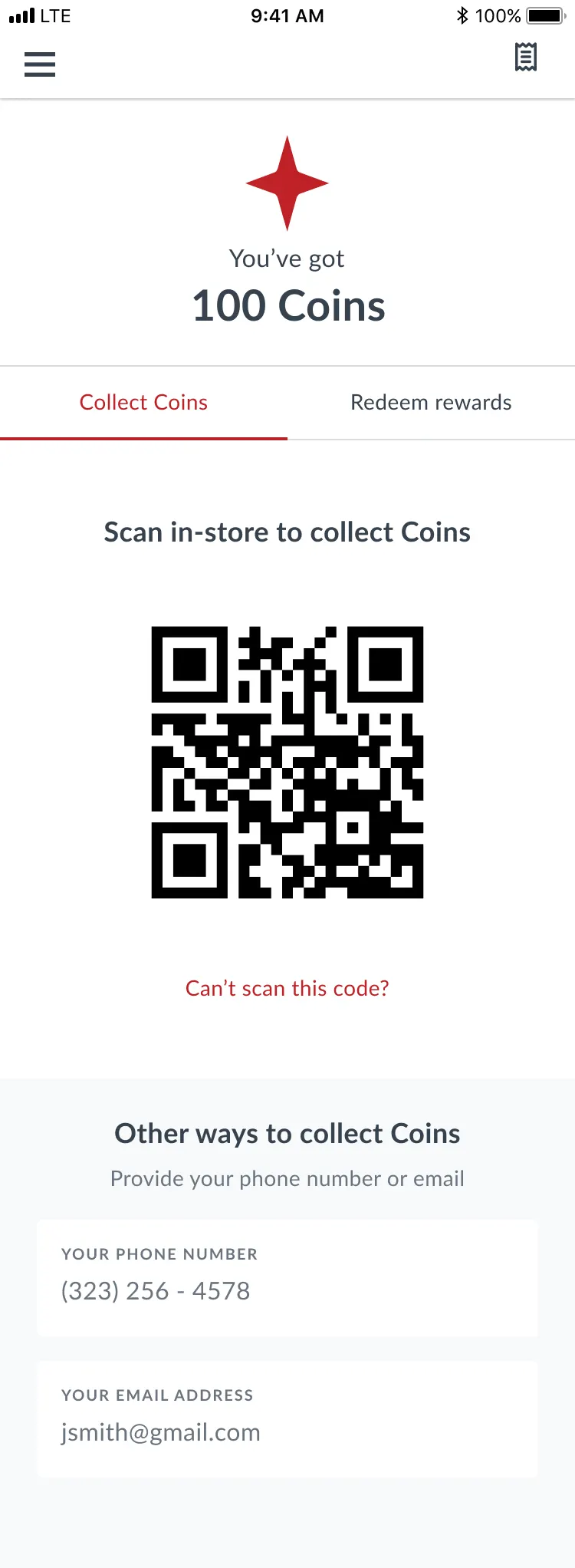
Check-in example for a merchant who has QR code scanners.
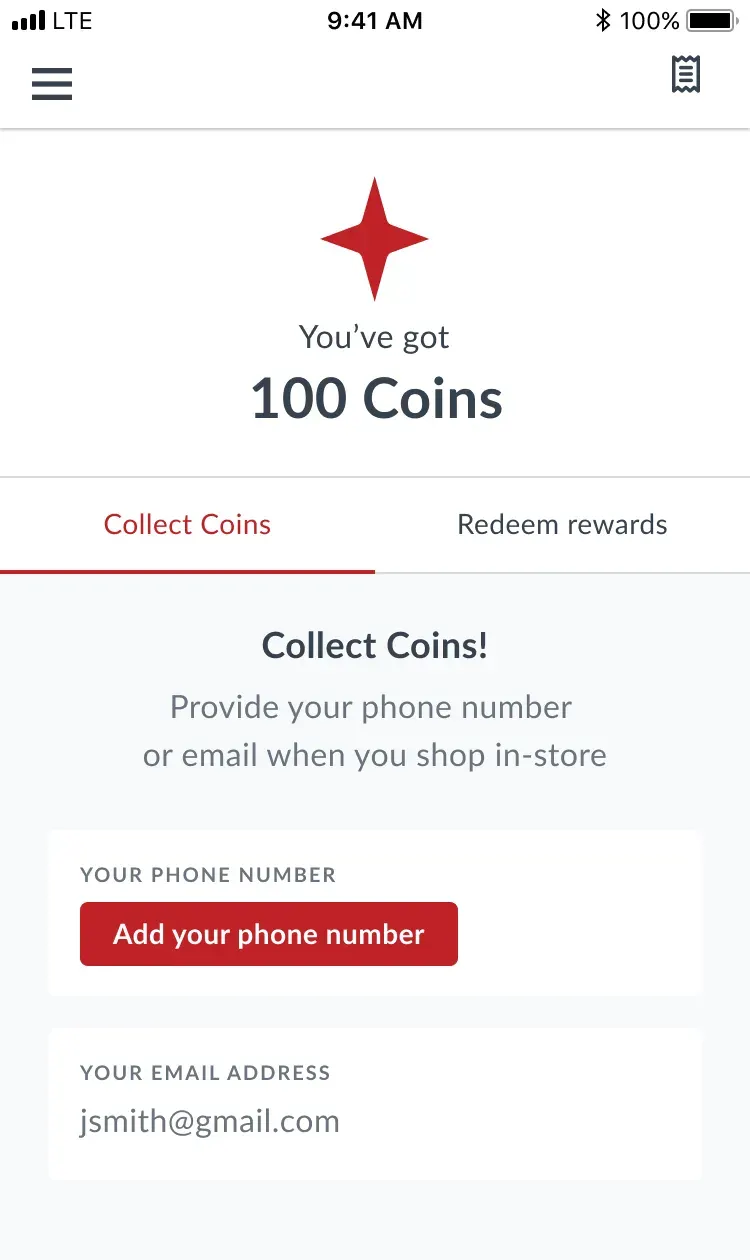
Example without QR codes. When any information is missing, customers can provide it right on the check-in screen.